AI is now a core part of many SaaS products. It powers chat, search, automation, and decision making. But as usage grows, many teams start facing the same issue.
Performance drops.
Responses become slow, costs rise, and output quality becomes unstable. These problems often come from hidden bottlenecks.
If you want to scale AI successfully, you need to understand these bottlenecks and fix them early.
In this guide, we will break down the most common AI Performance bottlenecks and show you how to solve them in a simple and practical way.
- What Is AI Performance
- Why AI Performance Bottlenecks Matter
- Common AI Performance Bottlenecks
- How to Build a Strong AI Performance Strategy
- Benefits of Fixing AI Performance Bottlenecks
- The Role of AI Performance Platforms
- Why WrangleAI Helps Solve AI Performance Bottlenecks
- Final Thoughts
- FAQs
What Is AI Performance
AI Performance refers to how well your AI system works across key areas such as:
- Speed of response
- Cost efficiency
- Accuracy of output
- Reliability of results
Good performance means your AI is fast, affordable, and accurate. Poor performance leads to delays, high costs, and poor user experience.
Why AI Performance Bottlenecks Matter
Many teams do not notice performance issues at the start. But as AI usage grows, these issues become more visible.
Here is what happens when bottlenecks are ignored:
- Costs increase without clear control
- Users experience slow responses
- Outputs become inconsistent
- Systems become hard to scale
Fixing bottlenecks early helps you avoid these problems and build a strong AI system.
Common AI Performance Bottlenecks
Let us look at the most common issues that affect AI Performance.
1. Using the Wrong Model for the Task
Many teams use one model for all tasks.
This creates problems such as:
- Higher costs
- Slower responses
- Unnecessary complexity
For example, using a powerful model for simple tasks wastes resources.
How to fix it
- Match the model to the task
- Use lightweight models for simple requests
- Use advanced models only when needed
This improves both speed and cost efficiency.
2. Poor Prompt Design
Prompts are the instructions given to AI.
Bad prompts can lead to:
- Longer responses than needed
- Higher token usage
- Lower accuracy
This directly affects AI Performance.
How to fix it
- Keep prompts short and clear
- Remove unnecessary instructions
- Use structured formats
Better prompts lead to faster and more accurate results.
Quick link: How AI Cost Optimisation Software Prevents Model Overuse
3. High Token Usage
Token usage is one of the biggest drivers of cost.
Long inputs and outputs increase:
- Processing time
- API costs
- System load
How to fix it
- Reduce input size
- Limit output length
- Use summaries instead of full data
Optimising tokens improves both cost and speed.
4. No Caching Strategy
Many AI requests are repeated.
Without caching:
- The same request is processed again and again
- Costs increase
- Response time slows down
How to fix it
- Cache common responses
- Store frequent results
- Reuse outputs where possible
This reduces load and improves speed.
5. Lack of Real Time Monitoring
Without visibility, you cannot manage performance.
Teams often do not know:
- Which models are used
- How much they cost
- Where delays happen
How to fix it
- Track usage in real time
- Monitor cost per request
- Analyse response times
This helps you identify and fix issues quickly.
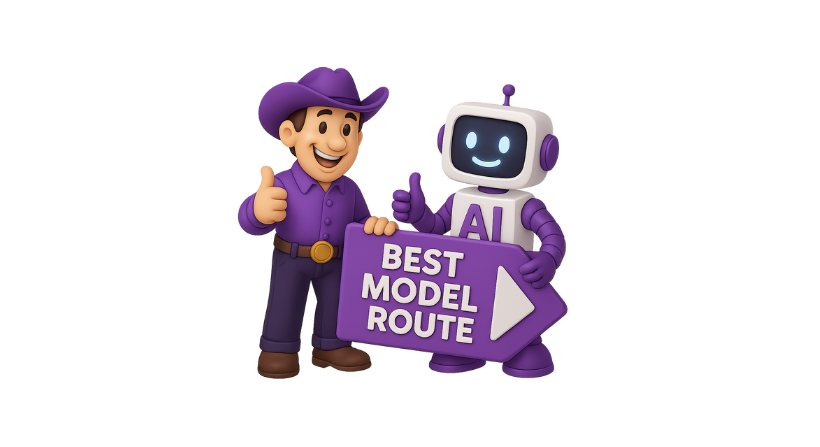
6. No Smart Routing Between Models
Sending all requests to one model creates inefficiency.
This leads to:
- Higher costs
- Slower responses
How to fix it
- Route requests based on complexity
- Use cheaper models for simple tasks
- Use advanced models for complex tasks
Smart routing improves balance across cost, speed, and accuracy.
7. Poor Infrastructure Setup
AI performance also depends on infrastructure.
Issues can include:
- Slow network calls
- Poor API handling
- Lack of scaling support
How to fix it
- Optimise API calls
- Use efficient backend systems
- Ensure proper scaling
A strong infrastructure supports better AI Performance.
8. No Usage Limits or Controls
Without limits, AI usage can grow out of control.
This results in:
- Unexpected cost spikes
- Resource overload
How to fix it
- Set usage limits
- Create alerts for high usage
- Control access by role
This keeps your system stable and predictable.
9. Ignoring Performance Testing
Some teams deploy AI features without testing.
This leads to:
- Poor user experience
- Unreliable outputs
How to fix it
- Test different models
- Compare response times
- Measure accuracy
Testing helps you choose the best setup.
10. Lack of Centralised Management
Managing AI across multiple tools creates chaos.
Teams lose control over:
- Costs
- Usage
- Performance
How to fix it
- Use a central system to manage AI
- Track all usage in one place
- Apply consistent policies
Centralisation improves visibility and control.
How to Build a Strong AI Performance Strategy
Fixing bottlenecks is only the first step. You also need a long term strategy.
Focus on balance
Do not optimise only one area.
Balance:
- Cost
- Speed
- Accuracy
This ensures better overall performance.
Monitor continuously
AI systems change over time.
You should:
- Track performance regularly
- Review usage trends
- Adjust strategies when needed
Improve step by step
Small improvements can lead to big results.
Focus on:
- Reducing tokens
- Improving prompts
- Optimising model selection
Use the right tools
Manual optimisation becomes difficult as you scale.
Using the right platform helps you manage everything in one place.
Quick link: Top 5 AI Governance Platforms in 2026
Benefits of Fixing AI Performance Bottlenecks
When you remove bottlenecks, you unlock real value.
Lower costs
You reduce unnecessary spending.
Faster responses
Your product becomes more responsive.
Better accuracy
Users get more reliable results.
Improved scalability
You can grow without performance issues.
Stronger user trust
Users rely on your product with confidence.
The Role of AI Performance Platforms
As your AI usage grows, it becomes hard to manage everything manually.
You need a system that helps you:
- Track usage across all models
- Monitor costs and performance
- Route requests intelligently
- Set policies and limits
AI performance platforms provide this control.
They act as a central layer between your product and AI models.
Why WrangleAI Helps Solve AI Performance Bottlenecks
Managing AI Performance at scale is not easy.
WrangleAI is built to help teams fix and prevent bottlenecks.
It enables you to:
- Track every token, request, and cost in real time
- Identify inefficiencies across models and teams
- Route requests to the best model based on cost and speed
- Set limits and alerts to avoid overspending
- Monitor performance from a single dashboard
With WrangleAI, you can move from reactive fixes to proactive optimisation.

Final Thoughts
AI is powerful, but it comes with challenges.
Most performance issues are not caused by the AI itself. They are caused by how it is used and managed.
By understanding common bottlenecks and fixing them early, you can build a system that is:
- Fast
- Efficient
- Reliable
Strong AI Performance is not about using the most powerful model.
It is about using the right approach.
If you want full control over your AI systems and want to optimise performance at scale, WrangleAI gives you the tools to monitor, manage, and improve every part of your AI usage.
FAQs
What is AI Performance?
AI Performance refers to how well an AI system performs in terms of speed, cost, accuracy, and reliability.
What causes AI performance bottlenecks?
Common causes include poor prompt design, high token usage, lack of monitoring, and using the wrong models.
How can AI Performance be improved?
It can be improved by optimising prompts, reducing token usage, using smart routing, monitoring performance, and using tools like WrangleAI.